Video Walkthrough for Clinicians
Healthcare professionals collect an enormous amount of information from patients, but turning that information into something structured, useful and easy to review can take valuable clinical time. Biomarks.ai is designed to simplify that process by helping clinicians create, distribute and evaluate patient assessments using AI.
The How Clinicians Can Use Biomarks video provides a practical demonstration of how the Biomarks.ai platform works, from creating an assessment through to reviewing results and adding clinician notes.
Create or Use Pre-Built Assessments
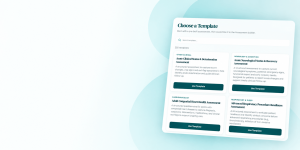
Clinicians can choose from more than 250 pre-built clinical assessment templates covering a wide range of healthcare specialties and patient needs. These templates provide a starting point that can be used as part of a clinician’s existing workflow.
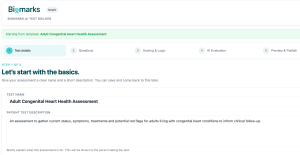
For practitioners who need something more specific, the Biomarks AI Health Assessment Builder enables them to create their own assessments without coding or writing AI prompts.
Clinicians can select the questions they want to ask, incorporate scoring and logic, identify important responses and red flags, and determine what they want Biomarks AI to evaluate.
Share Assessments With Patients
Once an assessment is ready, it can be shared directly with a patient through a participant link.
This allows information to be collected before a consultation rather than relying entirely on questions being asked during valuable appointment time. It can also help create a more consistent process for collecting information across multiple patients.
Patients complete the assessment online, with their responses securely returned to the clinician for review.
Turn Responses Into AI-Assisted Results
One of the most useful parts of the Biomarks.ai workflow is what happens after an assessment is completed.
Rather than simply presenting clinicians with a collection of individual answers, Biomarks AI can analyze the responses alongside the assessment’s scoring, red flags and clinical context.
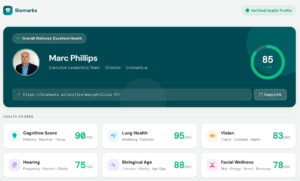
The Assessment Results area provides clinicians with a structured view of the patient’s responses and AI-assisted evaluation, helping important information become easier to identify and review.
The objective is not to replace clinical judgment. Instead, Biomarks.ai provides another layer of health intelligence that can support a clinician’s existing decision-making process.
Add Clinician Notes
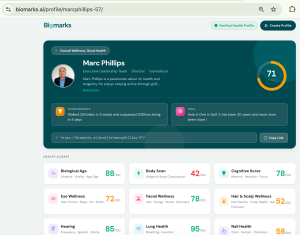
Assessment results can also become part of the patient’s ongoing record within Biomarks.ai.
Clinicians can add their own Clinician Notes to individual assessment results, allowing observations, follow-up information and other relevant context to be recorded alongside the assessment.
This creates a more useful longitudinal view of the patient rather than treating each assessment as a one-off questionnaire.
More Time for Patient Care
Ultimately, Biomarks.ai is designed to reduce repetitive administrative work surrounding patient assessments.
By combining pre-built templates, a customizable assessment builder, patient sharing, AI-assisted evaluation, assessment results and clinician notes in one workflow, clinicians can spend less time managing information and more time focused on patient care.
Watch the video to see how Biomarks.ai works in practice @