How Biomarks.ai Connects AI Health Assessments with Epic EHR
Healthcare professionals often work across separate systems to manage patient records, collect assessment information and document clinical findings.
Patient details may already exist in an Electronic Health Record (EHR), while questionnaires and assessments are completed elsewhere. Clinicians can then be left manually creating patient profiles, checking for duplicate records and transferring assessment information between platforms.
The Biomarks.ai Epic EHR integration is being developed to create a more connected workflow.
Through the Biomarks EHR Gateway, healthcare professionals can securely connect authorized Epic patient information with Biomarks.ai’s AI-powered health assessment platform. Clinicians can import patients, manage assessments and return clinician-approved assessment summaries to the patient’s Epic chart.
The core workflow has been successfully validated using Epic’s sandbox environment. Production deployment, authorization and individual healthcare organization configuration are still required before the integration can be used in a live clinical environment.
Why Connect Biomarks.ai with Epic EHR?
Epic is one of the world’s leading EHR platforms. Its interoperability framework supports standards including Fast Healthcare Interoperability Resources, commonly known as FHIR, which provides a REST-based approach to exchanging healthcare information.
Biomarks.ai complements the EHR by providing customizable clinical assessments, structured patient questionnaires, scoring, red flags and AI-assisted evaluation.
Connecting the two platforms is designed to reduce the administrative gap between collecting patient-generated information and documenting the clinician-reviewed results within the patient’s existing health record.
Rather than replacing Epic, Biomarks.ai adds a dedicated assessment and health intelligence layer that can work alongside the clinician’s established EHR workflow.
Benefits for Healthcare Professionals and Clinics
The Biomarks.ai Epic integration is being developed to make clinical assessments easier to manage and connect with existing patient records.
Reduce Repetitive Patient Administration
Importing authorized patient information can reduce the need to manually recreate patient profiles and enter the same details into multiple systems.
This can save time during patient onboarding and reduce avoidable data-entry errors.
Collect Information Before Consultations
Clinicians can securely share assessments and questionnaires with patients for completion before or between consultations.
This gives healthcare professionals an opportunity to review relevant patient information in advance, identify responses requiring attention and prepare more efficiently for the appointment.
Connect Assessments with Existing Patient Records
Clinician-approved assessment summaries can be returned to the patient’s Epic chart.
This creates a clearer connection between information collected through Biomarks.ai and the patient’s existing clinical record, reducing the need to manually copy assessment results between systems.
Standardize Patient Assessments
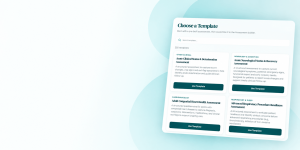
Biomarks.ai provides more than 250 pre-built clinical assessment templates designed for different healthcare specialties and patient needs.
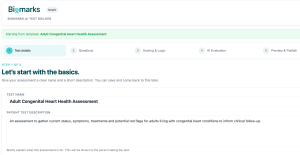
Clinicians can customize the questions, scoring, clinical logic, important responses, red flags and AI-assisted evaluation to reflect their own specialty, methodology and workflow.
This can help practices collect patient information more consistently without forcing every clinician to use the same generic questionnaire.
Identify Important Information Earlier
Structured assessments can help clinicians identify significant responses, potential red flags and changes in a patient’s circumstances before the consultation begins.
The assessment does not replace the clinical conversation. It gives the clinician a more organized starting point for deciding what requires further discussion.
Maintain Clinician Oversight
Assessment responses and AI-generated summaries are reviewed by the clinician before information is transferred to Epic.
AI helps organize and evaluate information, but the healthcare professional remains responsible for interpreting it within the broader clinical context and deciding whether it should be included in the patient’s record.
Support Patient Data Integrity
Patient matching, duplicate detection and permission or consent checks can help reduce avoidable record-management problems across the two platforms.
Clinicians can review potential matches before importing a patient into Biomarks.ai.
How the Biomarks.ai Epic Integration Works
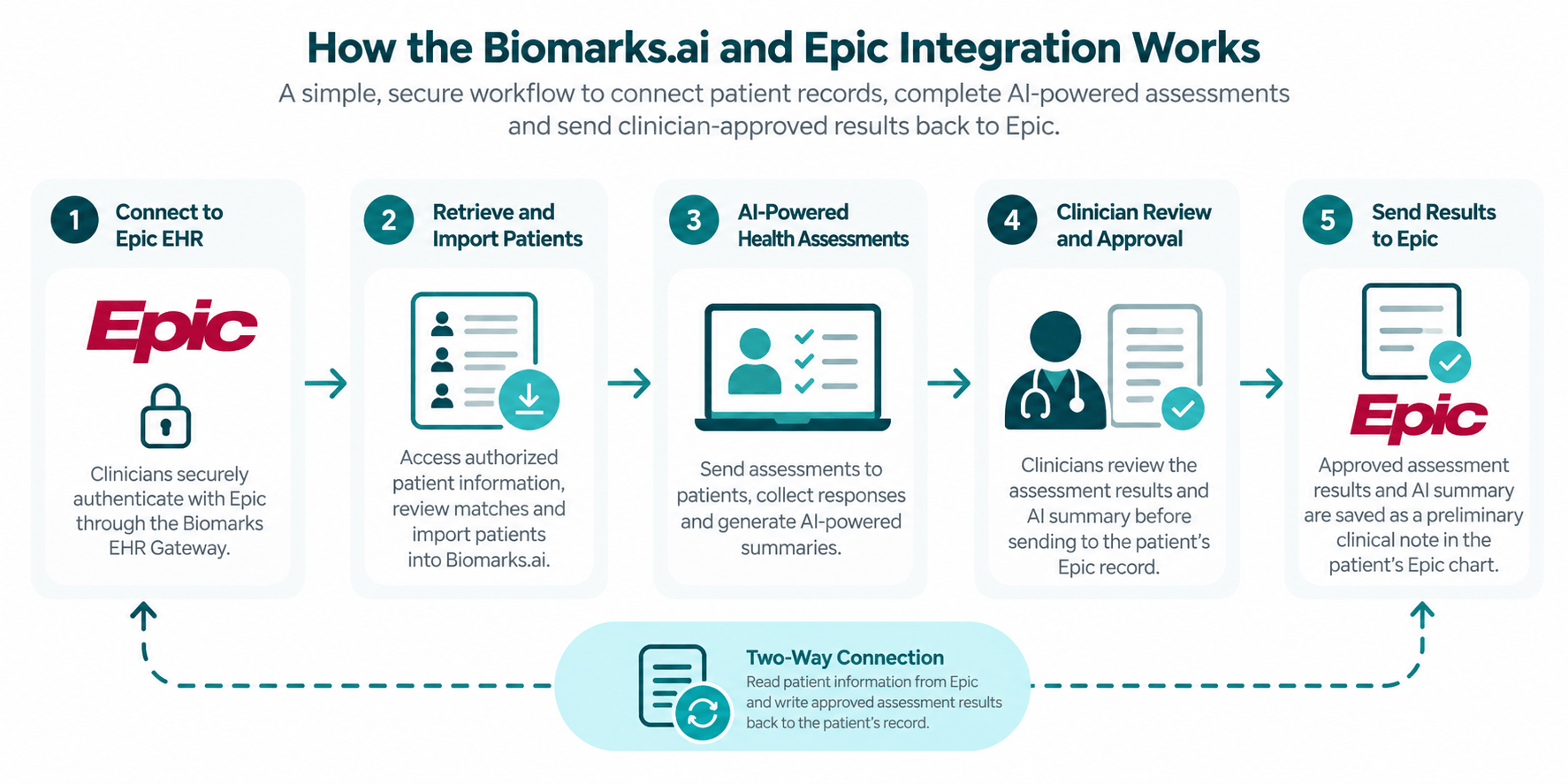
1. Secure Clinician Authentication
Healthcare professionals connect to Epic through the Biomarks EHR Gateway using an Epic-supported authentication process.
Initial testing confirmed that a clinician could authenticate successfully, access authorized sample patient records and retrieve patient information through the gateway.
Epic supports authentication and authorization technologies such as SMART on FHIR and OAuth 2.0 across relevant interoperability workflows. The precise implementation and permissions required for a production connection will depend on the healthcare organization and approved use case.
2. Patient Matching and Importing
Once connected, clinicians can identify an authorized patient in Epic and compare that patient with records already held in Biomarks.ai.
The workflow allows clinicians to:
Retrieve authorized patient information from Epic.
Review potential matches with existing Biomarks.ai patients.
Prevent duplicate patient records.
Import the patient into Biomarks.ai for assessment management.
Clinicians remain in control of the matching process and can review the information before completing an import.
A future development phase is intended to support the onboarding of authorized patient groups, subject to access to an appropriate patient list from the healthcare organization’s EHR environment.
3. Create and Manage Clinical Assessments
Once a patient has been imported, the clinician can securely share assessments and questionnaires through Biomarks.ai.
Clinicians can begin with an existing assessment template or use the AI Health Assessment Builder to create an assessment from the ground up.
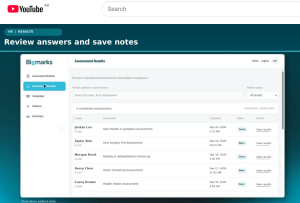
Patients can complete assessments before or between consultations. Their structured responses, scores and identified red flags are then available for the clinician to review.
4. Clinician Review and Approval
Biomarks.ai can help organize assessment responses and generate a summary for clinical review.
However, the AI-generated information is not automatically treated as a final clinical record.
The clinician reviews the patient’s responses, assessment results and generated summary before deciding whether the information is appropriate for inclusion in Epic. This keeps professional judgment at the center of the workflow.
Biomarks.ai does not diagnose patients or replace the clinician’s responsibility to interpret information within the broader clinical context.
5. Return Assessment Information to Epic
Biomarks.ai has successfully tested the technical ability to write assessment information back to an Epic test patient record.
During sandbox testing, the integration:
Generated assessment results and an AI-assisted summary.
Saved the information as a preliminary clinical note in the test patient’s Epic chart.
Retrieved the saved note from Epic.
Validated duplicate-prevention and permission or consent checks.
The tested workflow returns the assessment information as a preliminary clinical note. It does not currently write every answer and score into separate structured fields within Epic.
This approach allows the results to be connected with the patient’s EHR while keeping the underlying assessment responses and scoring within Biomarks.ai.
Building a More Connected Assessment Workflow
Clinical technology is most useful when it fits into the way healthcare professionals already work.
Clinicians should not have to repeatedly move patient information between disconnected systems simply to collect an assessment, review the responses and retain the resulting documentation.
The Biomarks.ai Epic integration is intended to connect these steps while preserving clinician oversight.
Epic remains the established EHR and source of the patient’s clinical record. Biomarks.ai provides the customizable assessment, patient engagement and AI-assisted health intelligence capabilities that complement it.
Together, the platforms can support a workflow in which authorized patient information moves into Biomarks.ai, assessments are completed and reviewed, and an approved summary returns to the patient’s Epic chart.
Current Integration Status
The core Biomarks EHR Gateway workflow has been successfully tested using Epic’s sandbox environment.
This testing has validated clinician authentication, patient retrieval, patient matching, importing, duplicate prevention and the return of a preliminary clinical note to a test patient’s Epic record.
The integration is not yet a general production deployment. Moving into a live Epic environment will require the appropriate production authorization, security review, permissions and configuration with the participating healthcare organization.
Learn More About the Biomarks.ai Epic Integration
Biomarks.ai is building an AI-powered health intelligence platform that complements established clinical systems rather than replacing them.
By connecting customizable assessments with Epic patient records, we aim to help healthcare professionals reduce repetitive administration, prepare more effectively for consultations and spend more time reviewing patient information and supporting informed care decisions.
Learn more about the Biomarks.ai Epic EHR integration:
https://biomarks.ai/epic-ehr-integration/
Healthcare organizations interested in future production deployment can contact Biomarks.ai to discuss their Epic environment, clinical assessment requirements and intended integration workflow.